
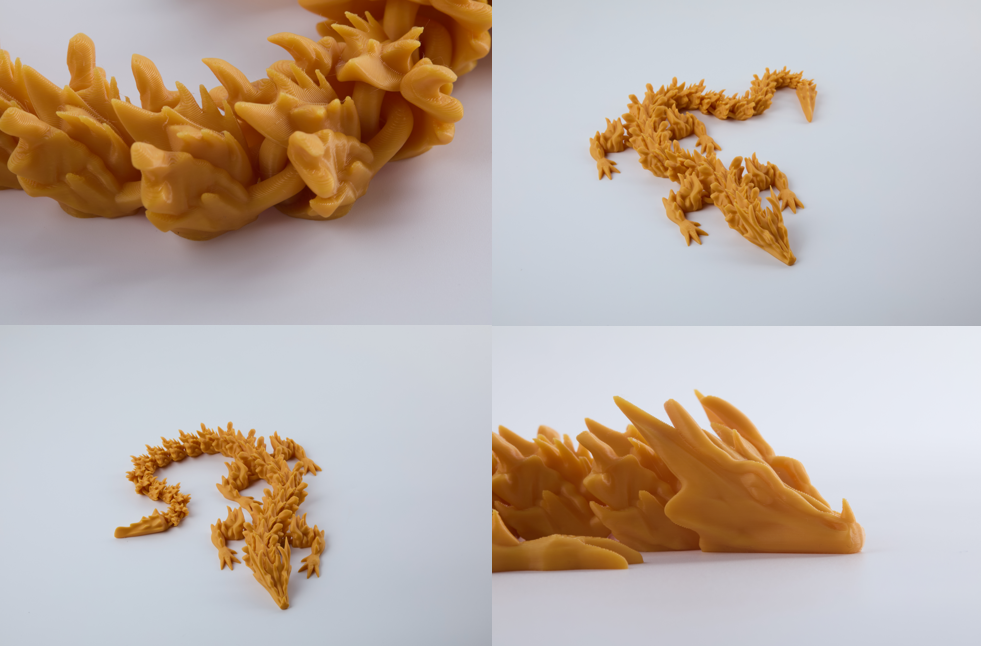
Welcome to the fascinating world of 3D printing! If you are completely new to this space, you might feel a little overwhelmed by the sheer amount of technical jargon, acronyms, and machine types available on the market today. You have probably seen videos online of futuristic machines magically conjuring plastic dragons, functional tools, or intricate cosplay armor out of thin air, and you are wondering: How exactly does that work, and where do I even begin?
The best place to start your journey is by understanding the most popular, accessible, and beginner-friendly technology in the desktop manufacturing world: FDM. Whether you are a hobbyist looking to create tabletop miniatures, a DIY enthusiast wanting to print custom brackets for home repairs, or an educator introducing students to engineering, FDM is the foundational technology you need to know.
In this comprehensive beginner’s guide, we are going to break down exactly what FDM 3D printing is, explore the anatomy of the machines that make it possible, and walk you through the basic workflow from a digital idea to a physical reality.
What Does FDM Stand For?
FDM stands for Fused Deposition Modeling. You might also occasionally see it referred to as FFF (Fused Filament Fabrication), which is simply a non-trademarked term for the exact same process.
To understand FDM, you first need to understand the concept of “additive manufacturing.” Traditional manufacturing—like woodcarving or CNC milling—is subtractive. You start with a large block of material and carve away the pieces you do not need until you are left with your final shape. It is a bit like sculpting a statue out of marble.
FDM 3D printing is the exact opposite. It builds objects from the ground up, adding material only where it is needed. Imagine holding a hot glue gun and drawing a flat square on a table. Once that square of glue cools and hardens, you draw another square directly on top of it. If you repeat this process hundreds or thousands of times, stacking layer upon layer of glue, you will eventually build a solid, three-dimensional cube. That is the fundamental principle of FDM: building objects layer by layer by melting and extruding a thermoplastic material.
The Anatomy of an FDM Machine
While they might look like complex robots, the mechanics behind a standard 3D printer are actually quite straightforward once you break them down into their core components. Let’s look at the main parts of the hardware:
1. The Print Bed (Build Plate)
This is the foundation of your machine. It is the flat, level surface where your object will be constructed. Modern print beds are usually heated. A heated bed prevents the bottom layer of your plastic model from cooling down too quickly, which can cause the plastic to shrink, warp, and detach from the surface mid-print. Build plates are often made of glass, spring steel, or coated with special textured adhesives to help the plastic stick perfectly during printing and release easily once cooled.
2. The Extruder and Hotend
This is the business end of the machine. The extruder is a small motorized gear system that grabs the raw plastic material and pushes it forward. The hotend, as the name implies, is the heated metal chamber at the bottom of the assembly.
The extruder pushes the solid plastic into the hotend, where it is heated to its melting point (usually anywhere between 190°C and 250°C, depending on the material). The semi-liquid plastic is then squeezed out of a tiny hole at the bottom, called the nozzle. Most standard nozzles have a diameter of just 0.4 millimeters, allowing for incredibly precise, thin lines of plastic to be drawn.
3. The Motion System (X, Y, and Z Axes)
To draw complex shapes, the nozzle needs to be able to move in three-dimensional space. FDM printers achieve this using a system of stepper motors, belts, and threaded rods.
- The X-Axis: Moves the nozzle left and right.
- The Y-Axis: Moves the print bed (or the nozzle) forward and backward.
- The Z-Axis: Moves the entire nozzle assembly up and down.
During a print, the machine moves simultaneously along the X and Y axes to draw a single, flat 2D layer. Once that layer is finished, the Z-axis moves the nozzle up by a tiny fraction of a millimeter (often just 0.2mm), and the printer draws the next layer on top.
The Magic Ink: Understanding Thermoplastics
Of course, a printer is useless without its “ink.” In the world of FDM, this ink is called Filament. It looks like a thick, colorful wire made of plastic, and it comes wrapped around a large spool.
The reason FDM works so well is that it uses thermoplastics. These are specific types of plastics that melt into a pliable, sticky liquid when exposed to high heat, but rapidly solidify and fuse together as soon as they cool down at room temperature.
As a beginner, the very first material you will use is PLA (Polylactic Acid). PLA is the undisputed king of beginner 3D printing. It is incredibly easy to print with, does not require a high-temperature heated bed, rarely warps, and is completely odorless. Best of all, it is made from renewable organic resources like cornstarch or sugarcane, making it environmentally friendly and biodegradable under the right industrial conditions. As you advance in your journey, you can explore other exciting materials like PETG for functional mechanical parts, flexible TPU for phone cases and tires, or even wood-infused plastics that smell like a campfire when printed!
The Workflow: From Screen to Reality
So, how do you actually tell the machine what to make? The FDM workflow consists of three distinct steps:
- The 3D Model: Everything starts with a digital 3D design. If you are an engineer or artist, you can design your own models using CAD (Computer-Aided Design) software or 3D sculpting tools. If you are not a designer, don’t worry! There are massive online repositories (like Thingiverse or Printables) where you can download millions of free, pre-made 3D models of just about anything you can imagine.
- The Slicer Software: Your printer does not inherently understand 3D shapes; it only understands raw coordinates. You must take your 3D digital model and import it into a program called a “Slicer.” The slicer literally slices your digital model into hundreds of flat 2D layers. It then generates a massive text file of instructions (called G-code) that tells the printer exactly how fast to move, how hot to get, and where to position the nozzle for every single second of the print.
- The Print: Finally, you send that G-code file to your printer via a USB drive, SD card, or Wi-Fi connection. You press start, and you sit back and watch the mesmerizing process of your digital idea slowly becoming a physical, tangible object.
Why Choose FDM?
There are other types of 3D printing out there, such as resin-based SLA printing, which cures liquid resin using UV light. However, FDM remains the absolute best entry point for beginners. The machines are incredibly affordable, the raw materials are cheap and non-toxic, the maintenance is straightforward, and the process is clean and safe enough to operate on a desk in your home office or bedroom.